> For the complete documentation index, see [llms.txt](https://docs.factor.fi/llms.txt). Markdown versions of documentation pages are available by appending `.md` to page URLs; this page is available as [Markdown](https://docs.factor.fi/getting-started/strategy-cheatsheet/swaps-cheatsheet/automated-market-order.md).
# Automated Market Order
## Overview
Automatically trigger a market order whenever your target condition is met. This can be for a single trade (conditional market order, take profit market, stop loss market), part of automated portfolio rebalancing/DCA, synthetic asset rebalancing, or even on-chain copy trading.
Your tokens are immediately swapped at the best available prices as the selected protocol dynamically reroutes your trade to more capital efficient sources.
## Potential Alpha
* **Buy Low, Sell High:** Automatically trade at your desired price and earn from any token appreciation.
## Strategy Building Blocks
{% hint style="success" %}
The building block order mirrors the Factor Studio UI and can be expanded for further strategy details and parameters.
{% endhint %}
{% hint style="info" %}
[**Automated Strategy**](/factor-studio/factor-studio/automated-strategies.md)
This is an automated strategy whereby you can configure a time-based one-time/recurring trigger for your strategy.
{% endhint %}
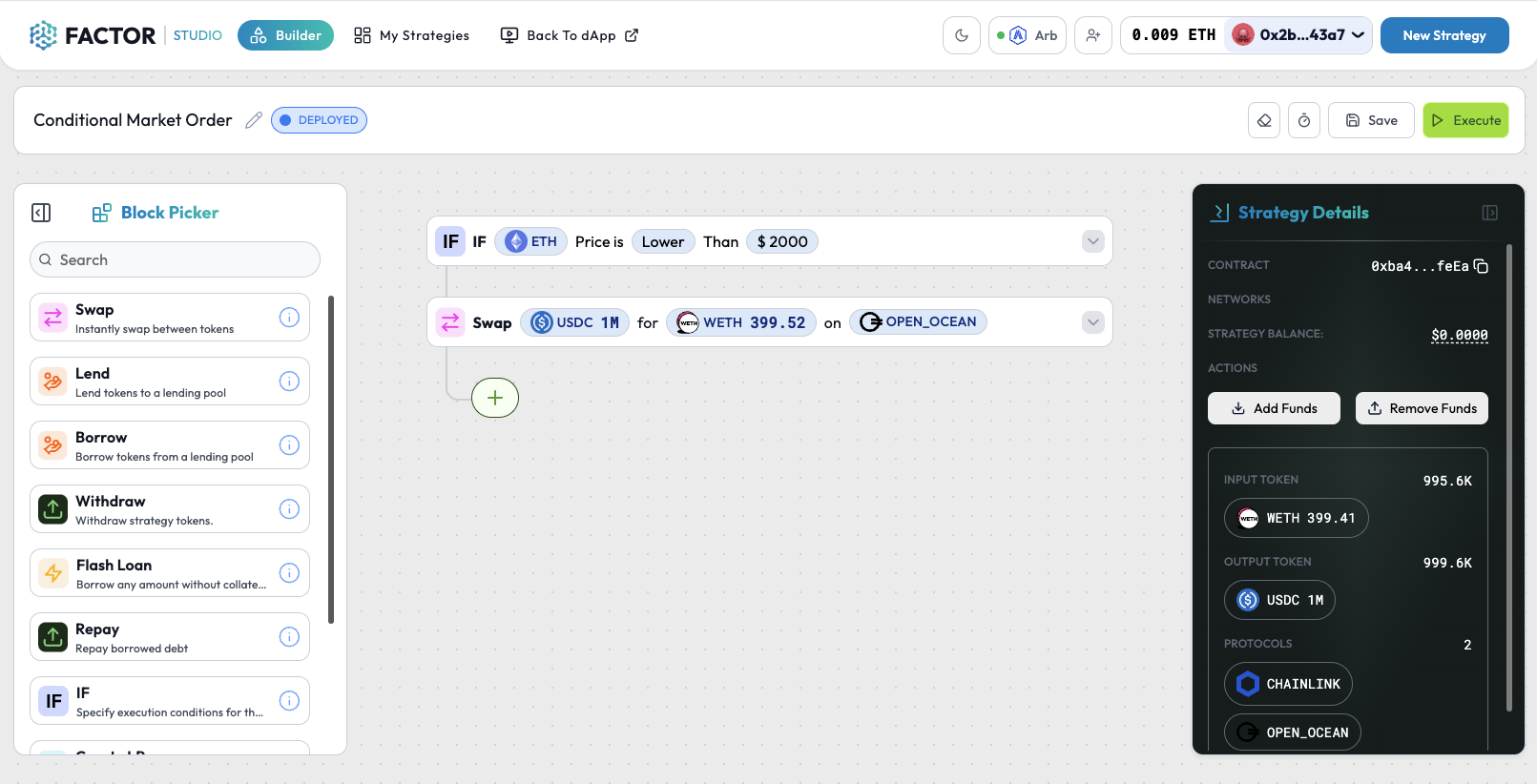
IF Conditional
* This condition will be checked each time this strategy is executed by the automation feature.
* Specify your target price and condition for the swap.
* Token purchases: Only execute the swap if `marketPrice` is ≤ `targetPrice`
* Token sales: Only execute the swap if `marketPrice` is ≥ `targetPrice`
Swap
* Select the tokens to swap
* Token purchases: Input token is the token to swap from and output token is the target token.
* Token sales: Input token is the token to sell and output token is the token to receive.
* Input token amount
## Example